
new
improved
Blogs
Addition of new elements in Blog Site Builder😁
Blog Site Builder now supports the following elements
Custom Code
- Add your custom code footer, headers and other elements to share between funnels, websites and blogs using Saved SectionsSVG
- Add any SVGs to your blog builderMap
- Add map inside the landing page to reflect specific locations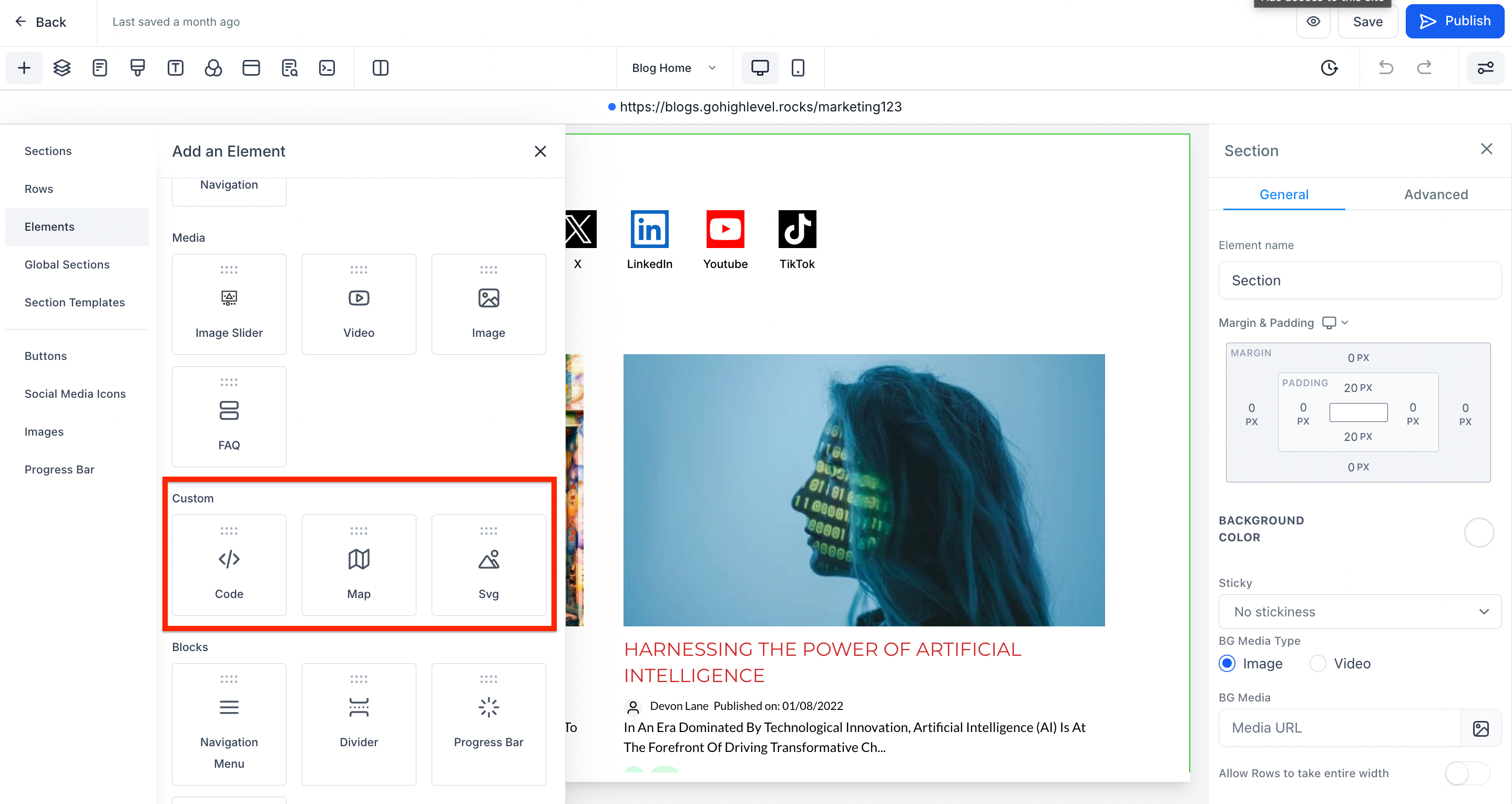
How to add the elements?
- Go to Sites > Blogs
- Go the blog you would like to edit
- Click on the name of blog
- There will be button to "Edit Blog Site", click on it
- Click on the Plus icon + to add more elements like code or svg or map.