new
improved
Calendars
Razorpay in Calendar Payments
To enhance global support for our users, we've expanded our payment options. In addition to Stripe, Authorize.net, and NMI, users can now integrate Razorpay to seamlessly collect payments for their bookings.
How to Use?
Integrate Razorpay:
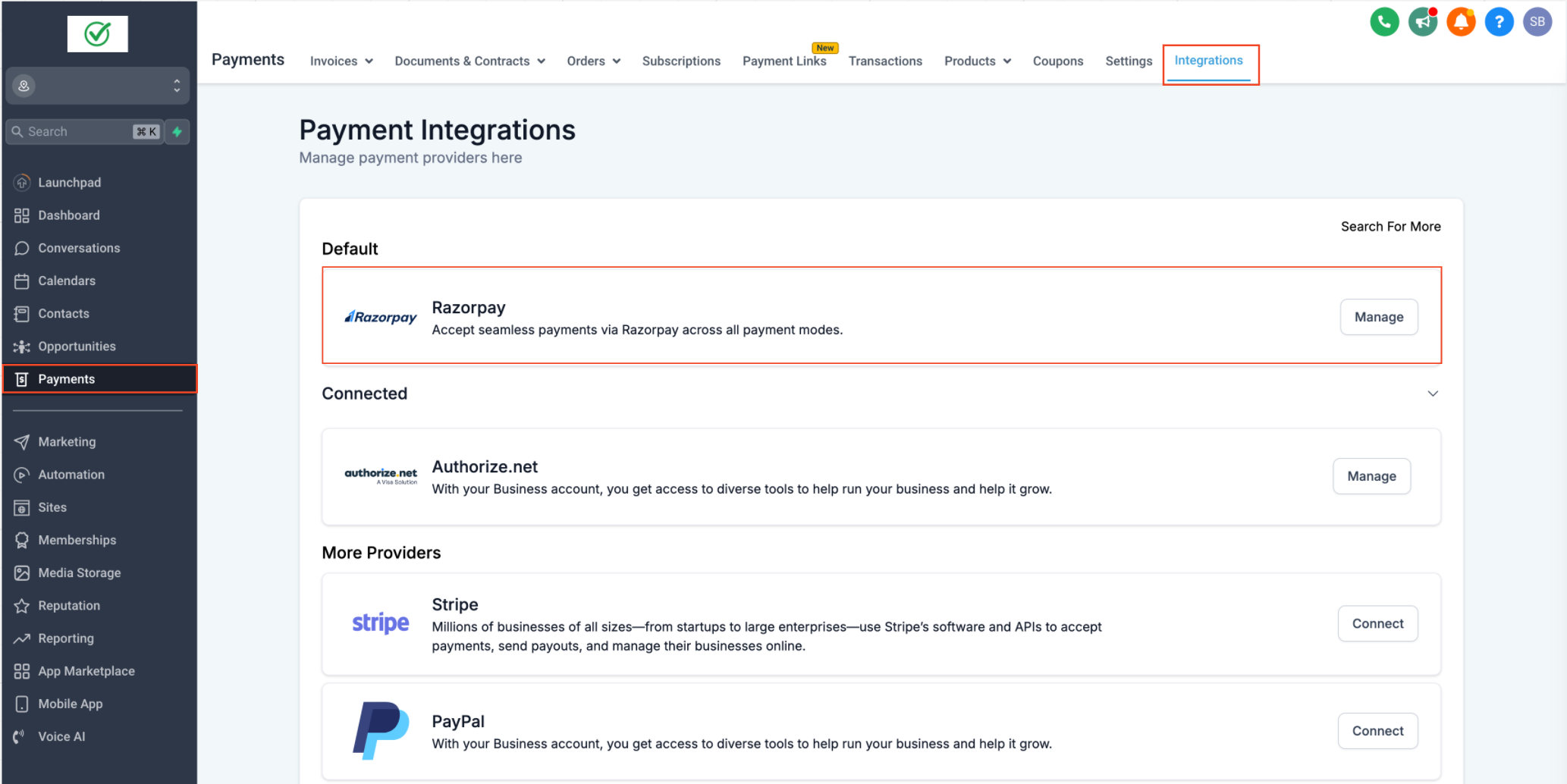
- Once integrated, go to the Payments > Integrations tab and set Razorpay as your default payment provider.
Enable Payment Collection for Calendars:
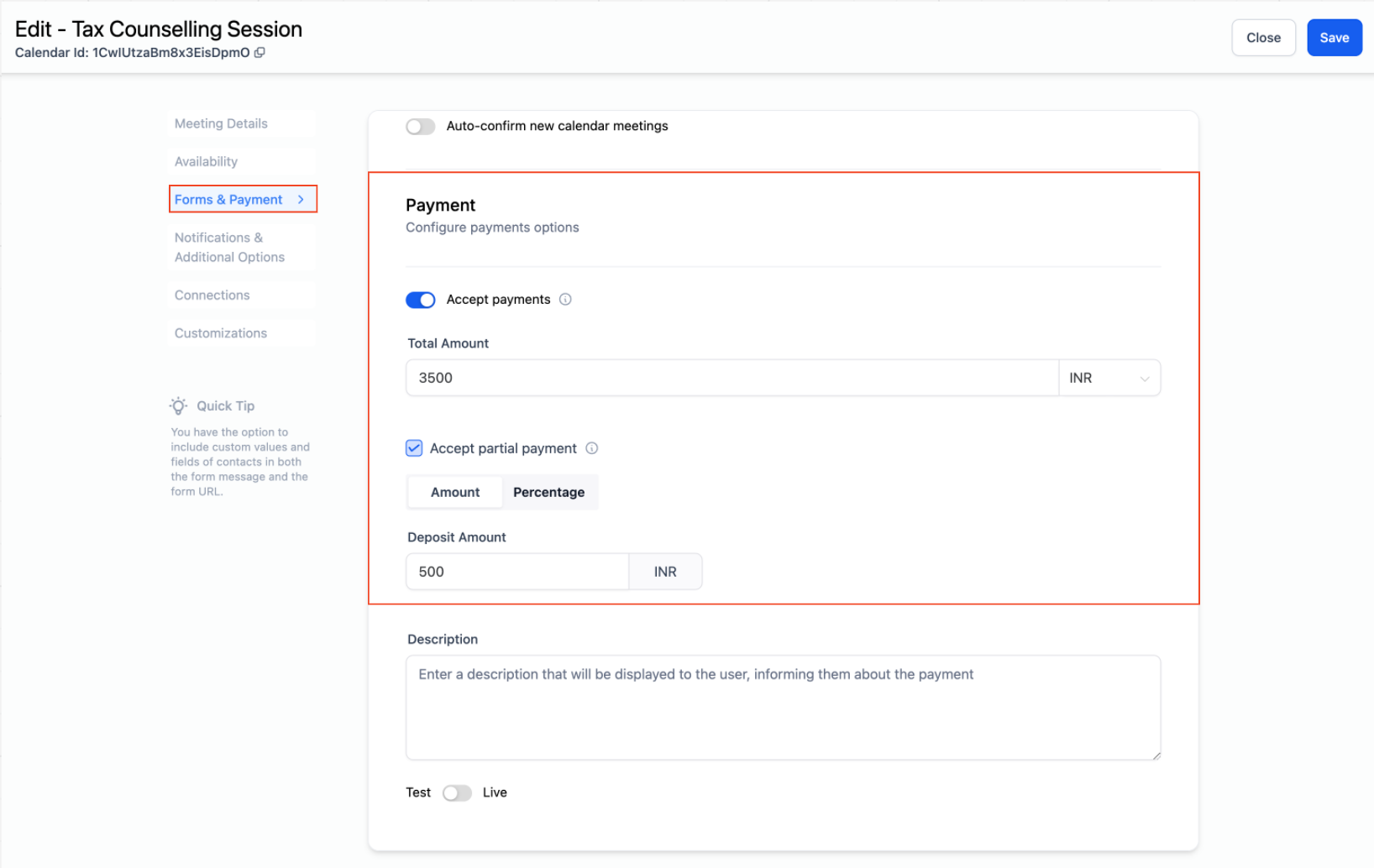
- Navigate to Calendar Settings and turn on the Accept Payments option.
Set Payment Amount:
- Enter the desired payment amount for bookings and click Save.
Please Note:
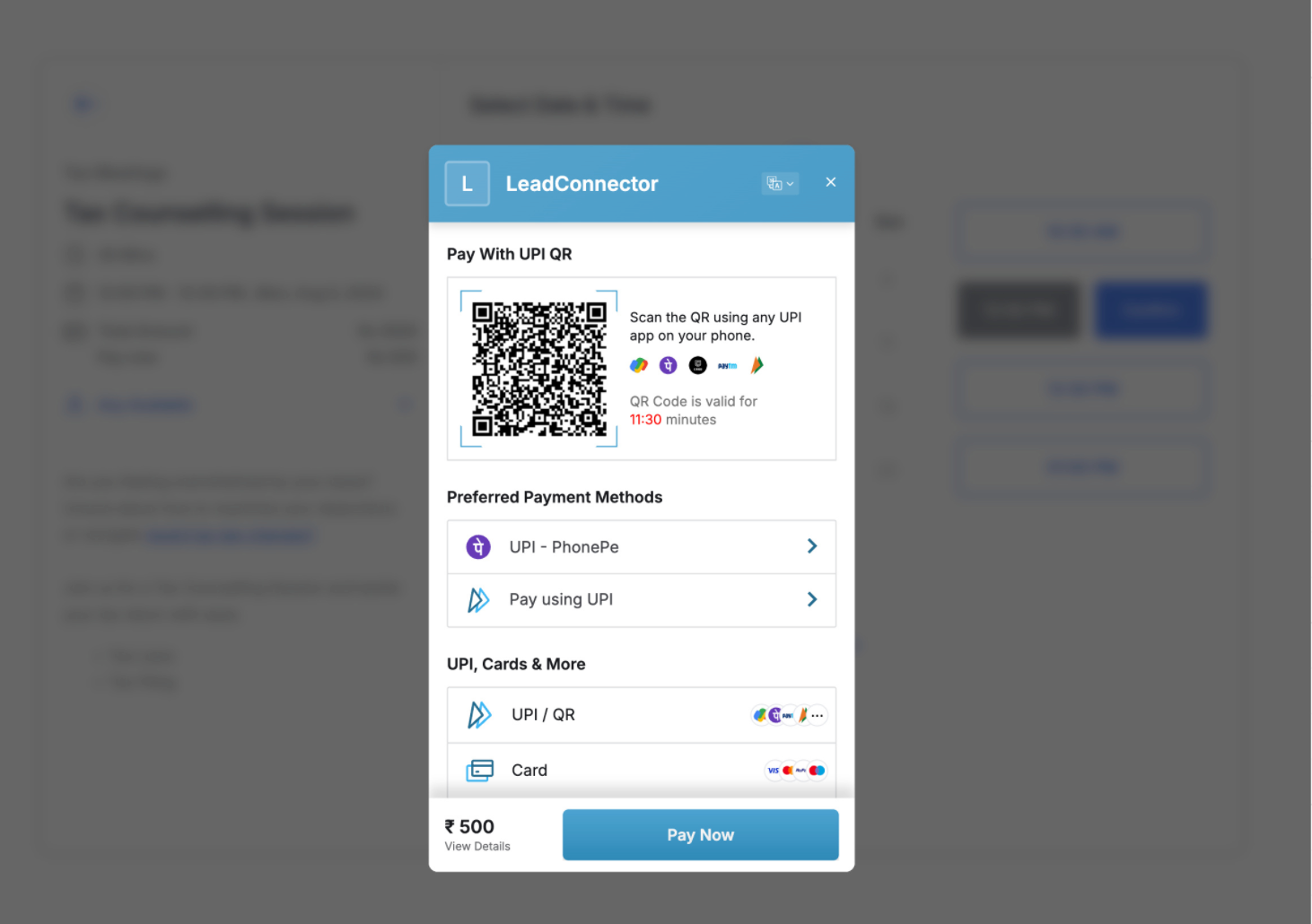
- If you are using any currency other than INR, only the 'Card' payment option will be available on the booking widget.
- Wallet, Net Banking, and UPI options are supported only in INR.